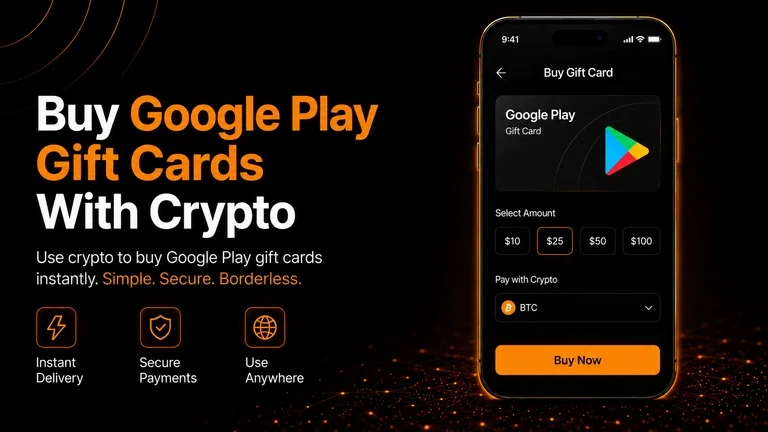
Need Google Play credit but want to pay with crypto? 0fiat lets you purchase eligible Google Play gift cards using stablecoins directly from your crypto wallet.
You can use the gift card for eligible apps, games, subscriptions and digital content on Google Play.
What You Can Use a Google Play Gift Card For
A Google Play gift card adds credit to your Google Play balance, which can be used for eligible digital purchases.
Depending on your region, this can include:
Apps and games
In app purchases
Movies and other digital content
Subscriptions
Other eligible Google Play purchases
Gift cards are generally region specific, so select the country that matches your Google Play account.
How to Buy a Google Play Gift Card With Crypto
Buying your Google Play gift card through 0fiat is straightforward.
Get Google Play Gift Cards from 0fiat ->
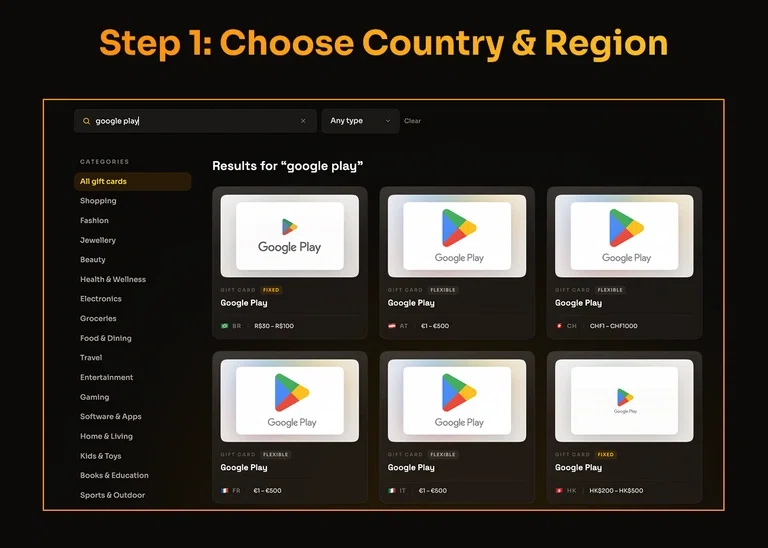
Choose Your Country
Start by selecting your country on 0fiat.
This is important because Google Play gift cards are issued for specific regions. Choose the appropriate Google Play gift card available for your location.
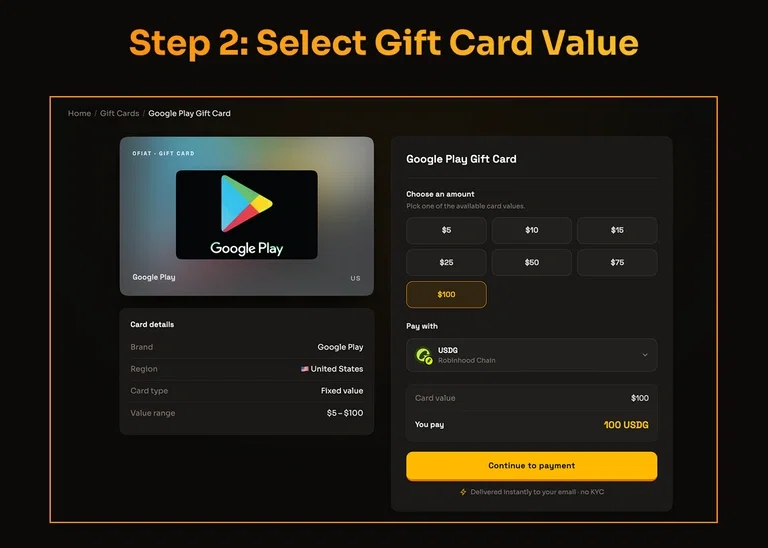
Pick Your Gift Card Amount
Select the denomination you want to purchase.
The available amounts depend on the gift card and region.
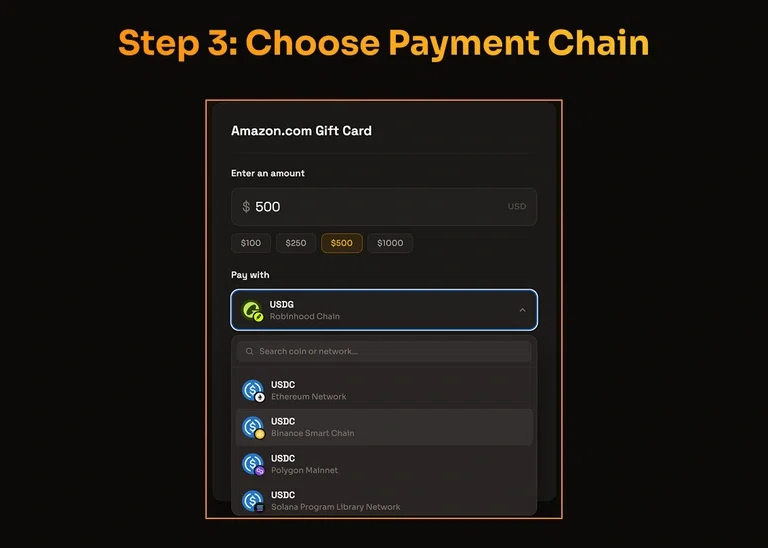
Select Your Crypto and Network
Choose how you want to pay.
0fiat supports stablecoins including:
USDT
USDC
PYUSD
GUSD
You can also select from the supported blockchain networks shown during checkout.
Always make sure the network selected in 0fiat matches the network you are using in your wallet.
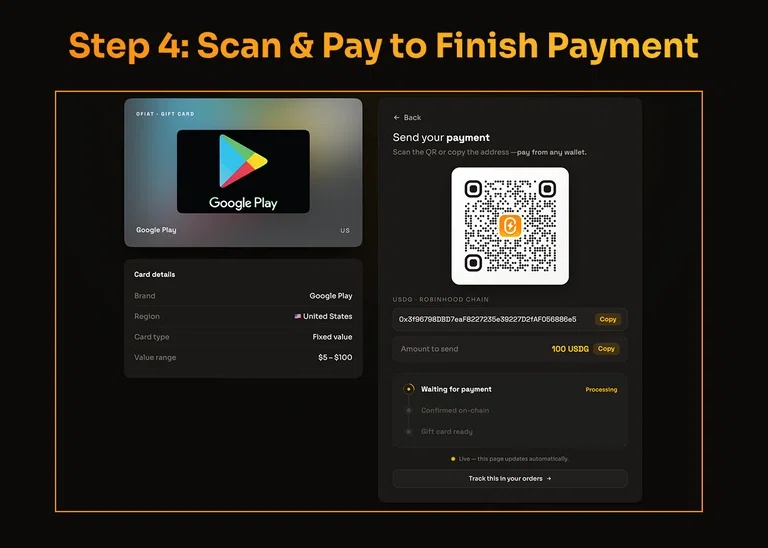
Scan and Pay
After selecting your gift card and payment method, 0fiat will display the payment details.
Open your crypto wallet, scan the payment QR code and approve the transaction.
Once the payment is confirmed, your Google Play gift card will be delivered according to the applicable delivery terms.
Why Use 0fiat?
Using 0fiat gives you a simple way to turn stablecoins into digital spending credit without first converting them into fiat.
Pay From Your Own Wallet
Your crypto stays in your wallet until you make the purchase. You simply approve the payment when you're ready to buy.
Multiple Stablecoin Options
You can use supported stablecoins such as USDT, USDC, PYUSD and GUSD, depending on the gift card and network available.
No Need for a Crypto Card
You don't need to move your crypto onto a debit or credit card to purchase the gift card. The payment is made directly from your crypto wallet.
Simple Scan and Pay
Instead of manually entering a long wallet address, you can complete the payment by scanning the QR code provided at checkout.
A Simple Way to Spend Crypto
The process can be summed up in four steps:
Select your country → Choose your Google Play gift card → Select your crypto and network → Scan and Pay
Your crypto can then become Google Play credit that you can use for eligible digital purchases.
You might also be interested in other gift cards, which you can check here:
How to Buy Amazon Gift Cards with 0fiat ->
How to get a Lyca Mobile Recharge with crypto ->
Frequently Asked Questions (FAQs)
Can I buy a Google Play gift card with crypto?
Yes. You can purchase eligible Google Play gift cards through 0fiat using supported stablecoins.
Which crypto can I use to buy the gift card?
0fiat supports USDT, USDC, PYUSD and GUSD for eligible purchases, with available networks shown at checkout.
Can I use a Google Play gift card from another country?
Google Play gift cards are generally region specific. Select the gift card that matches your Google Play account and location.
Do I need a crypto card to buy a Google Play gift card?
No. You can pay directly from your crypto wallet using a supported stablecoin.